

The shift in linux threats
Linux ransomware is up. Reports from linuxsecurity.com and HashiCorp show attackers are moving away from simple desktop phishing toward high-value cloud servers. The data on these machines is worth more now, so the attacks are getting more frequent and harder to stop.
Supply chain attacks remain a major worry. Compromised software dependencies, a tactic that gained prominence in recent years, will likely persist as attackers seek to gain access to a wide range of systems through a single point of failure. This means scrutinizing the origins and integrity of all software components is paramount. HashiCorp stresses the need for a unified operating model that streamlines security workflows.
Cryptomining operations, while sometimes seen as a nuisance, are becoming more sophisticated and stealthy. Attackers are developing techniques to evade detection and maximize their profits, often exploiting vulnerabilities in containerized environments and cloud infrastructure. The expansion of IoT devices and edge computing further expands the attack surface, introducing new vulnerabilities and potential entry points for malicious actors.
The rise of these threats demands a proactive and layered security approach. Simply relying on traditional security measures is no longer sufficient. Organizations need to adopt a security-first mindset and prioritize continuous monitoring, threat intelligence, and rapid response capabilities. We need to prepare for a world where attacks are more frequent, more targeted, and more damaging.
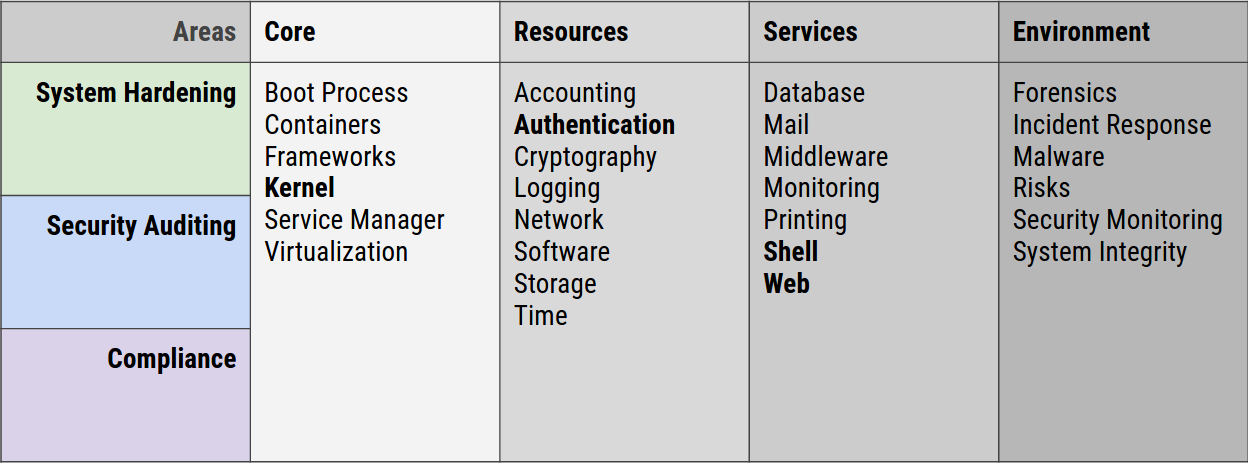
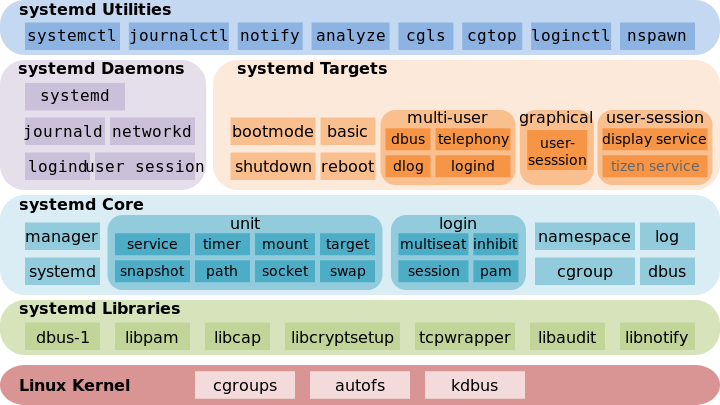
Hardening the kernel
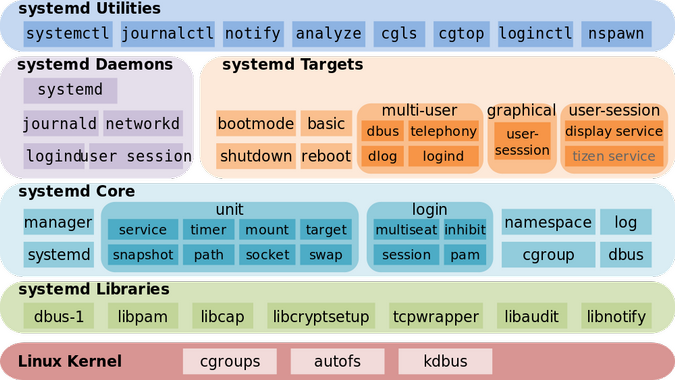
Kernel-level hardening is a fundamental step in securing a Linux system. By enabling features like Address Space Layout Randomization (ASLR), Data Execution Prevention (DEP), and kernel module signing, we can significantly reduce the risk of successful exploits. ASLR randomizes the memory addresses used by processes, making it harder for attackers to predict where code will be executed. DEP prevents the execution of code from data segments, thwarting many buffer overflow attacks.
Kernel module signing stops attackers from injecting code by requiring a digital signature for every module. If you use third-party drivers, this is your best defense against rootkits. I've found that a signed kernel is the only way to be sure your core system hasn't been tampered with.
Tuning these protections often involves modifying `sysctl` settings. For example, `kernel.randomize_va_space=2` enables full ASLR, while `kernel.exec-shield=1` enables DEP. It’s crucial to understand the implications of each setting and test thoroughly before applying them to a production system. Improper configuration can sometimes lead to instability or compatibility issues.
In the context of the 2026 threat landscape, these protections are even more critical. Attackers are becoming increasingly adept at bypassing traditional security measures, so layering defenses at the kernel level is essential. Regularly reviewing and updating these settings is not a one-time task, but an ongoing process.
Essential sysctl Security Configuration
The sysctl interface allows runtime modification of kernel parameters crucial for system security. Below is a comprehensive configuration that enables key security features including ASLR and DEP, along with network hardening measures.
# /etc/sysctl.conf - Security hardening configuration
# Apply changes with: sudo sysctl -p

# Enable Address Space Layout Randomization (ASLR)
# Randomizes memory layout to prevent buffer overflow exploits
# 0 = disabled, 1 = conservative, 2 = full randomization
kernel.randomize_va_space = 2

# Enable Data Execution Prevention (DEP) / NX bit support
# Prevents execution of code in data segments
# Requires hardware support (most modern CPUs)
kernel.exec-shield = 1

# Disable core dumps for security
# Prevents sensitive data exposure in crash dumps
kernel.core_pattern = /dev/null
fs.suid_dumpable = 0

# Network security enhancements
# Ignore ICMP ping requests to reduce reconnaissance
net.ipv4.icmp_echo_ignore_all = 1

# Enable SYN flood protection
net.ipv4.tcp_syncookies = 1

# Disable IP forwarding (unless acting as router)
net.ipv4.ip_forward = 0
net.ipv6.conf.all.forwarding = 0

# Ignore redirects to prevent routing table manipulation
net.ipv4.conf.all.accept_redirects = 0
net.ipv6.conf.all.accept_redirects = 0

# Log suspicious packets
net.ipv4.conf.all.log_martians = 1
These settings provide a solid foundation for system hardening, but requirements vary by environment. The kernel.exec-shield parameter may not be available on all distributions or kernel versions. Always test configuration changes in a non-production environment first, and consult your distribution's documentation for the most current parameter names and supported values. Some settings may require a system reboot to take full effect.
Monitoring file integrity
Detecting unauthorized file changes is crucial for identifying potential security breaches. Tools like AIDE (Advanced Intrusion Detection Environment), Tripwire, and auditd can help monitor critical system files and directories. AIDE and Tripwire create a baseline of file attributes (checksums, timestamps, etc.) and then periodically check for deviations from that baseline. Auditd, on the other hand, provides a more comprehensive auditing framework, tracking system calls and other events.
Configuring these tools requires careful planning. You need to identify which files and directories are most critical to your system’s security and configure the tools to monitor them accordingly. Overly broad monitoring can generate a large volume of alerts, making it difficult to identify genuine threats. The goal is to achieve a balance between coverage and manageability.
Regularly reviewing audit logs is essential, but simply collecting logs isn’t enough. You need to analyze the logs for suspicious activity and set up alerts for specific events. For example, you might want to receive an alert if a critical system file is modified outside of a scheduled maintenance window. Actionable alerts are key – alerts that provide enough information to allow you to quickly investigate and respond to a potential threat.
The effectiveness of file integrity monitoring depends on the quality of your baseline and the frequency of your checks. A stale baseline is useless, and infrequent checks may not detect changes quickly enough. It's important to establish a regular schedule for updating the baseline and running checks.
User and Access Control
Strong user account management is a cornerstone of Linux security. This starts with enforcing strong password policies – requiring a minimum length, complexity, and regular changes. Multi-factor authentication (MFA) adds an extra layer of security by requiring users to provide a second form of verification, such as a one-time code from a mobile app. While SMS-based MFA is still common, app-based authenticators are generally more secure.
The principle of least privilege dictates that users should only have access to the resources they need to perform their jobs. This minimizes the potential damage that can be caused by a compromised account. Sudo, when used correctly, is a powerful tool for implementing the principle of least privilege, allowing users to execute commands as root without having to log in as root.
Check your user list every month. Delete old accounts immediately and look closely at who has sudo access. Most breaches happen because an old service account had too many permissions. While I'm not sure which new MFA tech will dominate by 2026, the move toward hardware keys over SMS is the right path.
Automating user provisioning and deprovisioning can help streamline account management and reduce the risk of errors. Tools like Identity and Access Management (IAM) systems can automate these tasks and enforce consistent security policies.
Multi-Factor Authentication (MFA) Methods Comparison - 2026
| Method | Security Strength | Usability | Implementation Complexity | Cost |
|---|---|---|---|---|
| Time-Based One-Time Password (TOTP) | Good | Generally good; requires app installation | Moderate; relies on compatible apps | Low; often free or low-cost apps |
| SMS-Based OTP | Fair | Very high; widely accessible | Low; easy to implement | Low; standard SMS rates apply |
| Hardware Security Keys (e.g., YubiKey) | Excellent | Good; requires physical key | Moderate; requires key management | Moderate; cost per key |
| Biometric Authentication (Fingerprint/Facial) | Good | High; convenient for users | Moderate to High; depends on system support and accuracy | Moderate; hardware and software costs |
| Push Notifications (Authenticator Apps) | Good | High; user-friendly prompt | Moderate; requires app installation and network connectivity | Low; typically included with authenticator app services |
| FIDO2/WebAuthn | Excellent | Good; passwordless experience | Moderate to High; requires browser and service support | Moderate; potential cost for compatible hardware |
Qualitative comparison based on the article research brief. Confirm current product details in the official docs before making implementation choices.
Firewalls and network detection
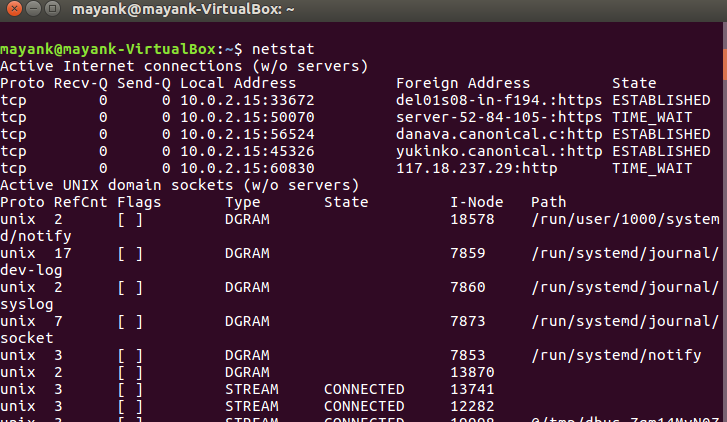
Firewalls are the first line of defense against network attacks. Iptables and nftables are two common firewall tools for Linux. They allow you to define rules that control network traffic based on source and destination IP addresses, ports, and protocols. Configuring firewall rules to restrict access to unnecessary ports and services is crucial.
For example, if you’re running a web server, you should only allow incoming traffic on ports 80 (HTTP) and 443 (HTTPS). All other ports should be blocked. Similarly, if you’re not using SSH, you should disable it. Regularly reviewing and updating firewall rules is important to ensure they remain effective.
Intrusion Detection Systems (IDS) and Intrusion Prevention Systems (IPS) can help detect and prevent malicious network activity. Snort and Suricata are two popular open-source options. These systems analyze network traffic for suspicious patterns and alert you to potential threats. An IDS passively monitors traffic, while an IPS can actively block malicious traffic.
These systems can detect a wide range of attacks, including port scans, denial-of-service attacks, and attempts to exploit known vulnerabilities. However, they are not foolproof. Attackers can often find ways to evade detection, so it’s important to combine IDS/IPS with other security measures.
Common Ports to Restrict
- 21 (FTP) - File Transfer Protocol. Often vulnerable; consider using SFTP (SSH File Transfer Protocol) instead.
- 23 (Telnet) - Telnet is an unencrypted protocol. Always prefer SSH (port 22) for remote administration.
- 53 (DNS) - While essential, restrict access to authorized networks to prevent DNS amplification attacks and zone transfers from unauthorized sources.
- 135 (RPC/DCOM) - Used by Microsoft's Remote Procedure Call service. Historically a target for exploits; restrict access unless absolutely necessary.
- 139 (NetBIOS Session Service) - Used for file and printer sharing in older Windows networks. Disable if not required.
- 445 (SMB) - Server Message Block. Critical for Windows file sharing; ensure it’s patched and access is limited to trusted networks.
- 3389 (RDP) - Remote Desktop Protocol. If used, enforce strong passwords, network level authentication (NLA), and consider restricting access via VPN.
Container Security: Docker & Kubernetes
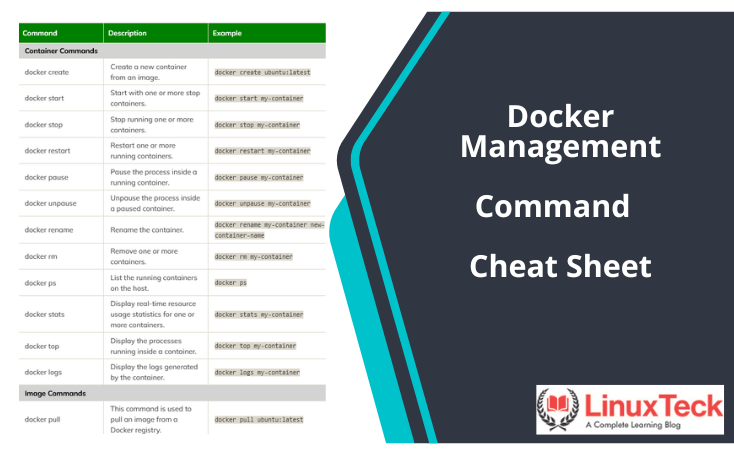
Containerized environments introduce unique security challenges. Securing Docker images is paramount. This involves scanning images for vulnerabilities before deploying them. Tools like Clair and Trivy can help identify known vulnerabilities in container images. Regularly updating base images is also crucial to ensure you have the latest security patches.
Implementing network policies in Kubernetes is essential for isolating containers from each other and from the host system. Network policies define rules that control network traffic between pods. This prevents attackers from moving laterally within the cluster if one container is compromised.
Limiting container privileges is another important security measure. Containers should only be granted the minimum privileges necessary to perform their tasks. Avoid running containers as root whenever possible. Utilize features like user namespaces to isolate containers from the host system.
Container scanning should be integrated into your CI/CD pipeline to automatically detect and prevent the deployment of vulnerable images. Regularly auditing container configurations and network policies is also essential.
Featured Products

Scans container images for vulnerabilities · Detects misconfigurations · Analyzes IaC for security issues
Trivy is a comprehensive and easy-to-use vulnerability scanner that helps identify security risks in container images, IaC, and more, making it a valuable tool for Linux system administrators.
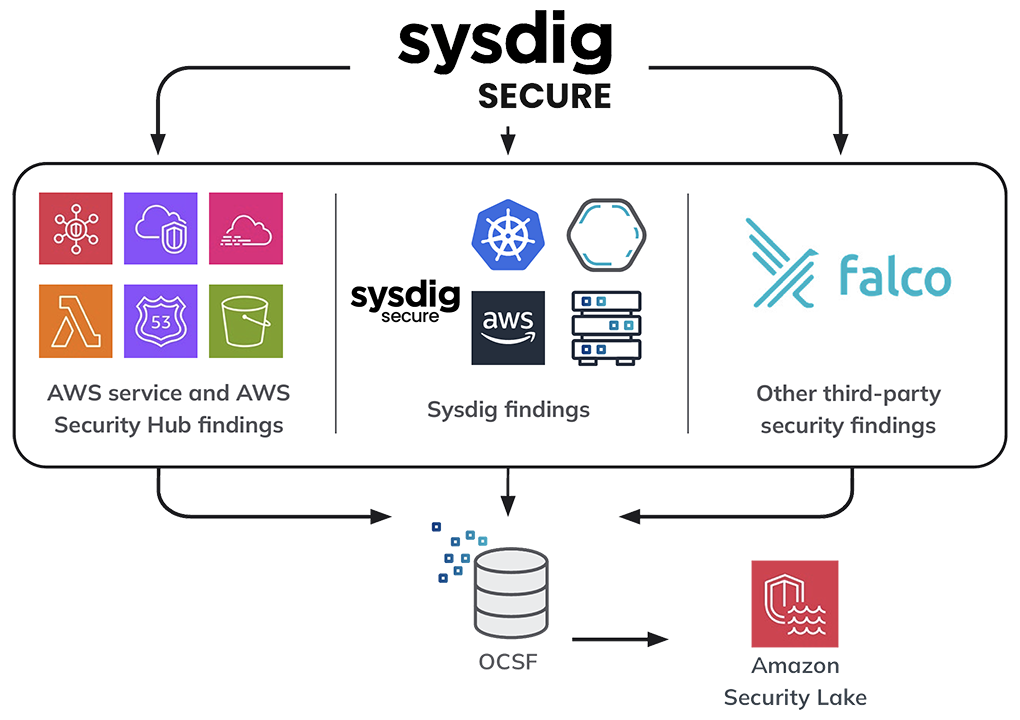
Provides deep visibility into container activity · Detects and prevents threats in real-time · Offers compliance and vulnerability management
Sysdig Secure for Containers offers runtime security and deep visibility into containerized environments, crucial for detecting and responding to threats in a hardened Linux system.
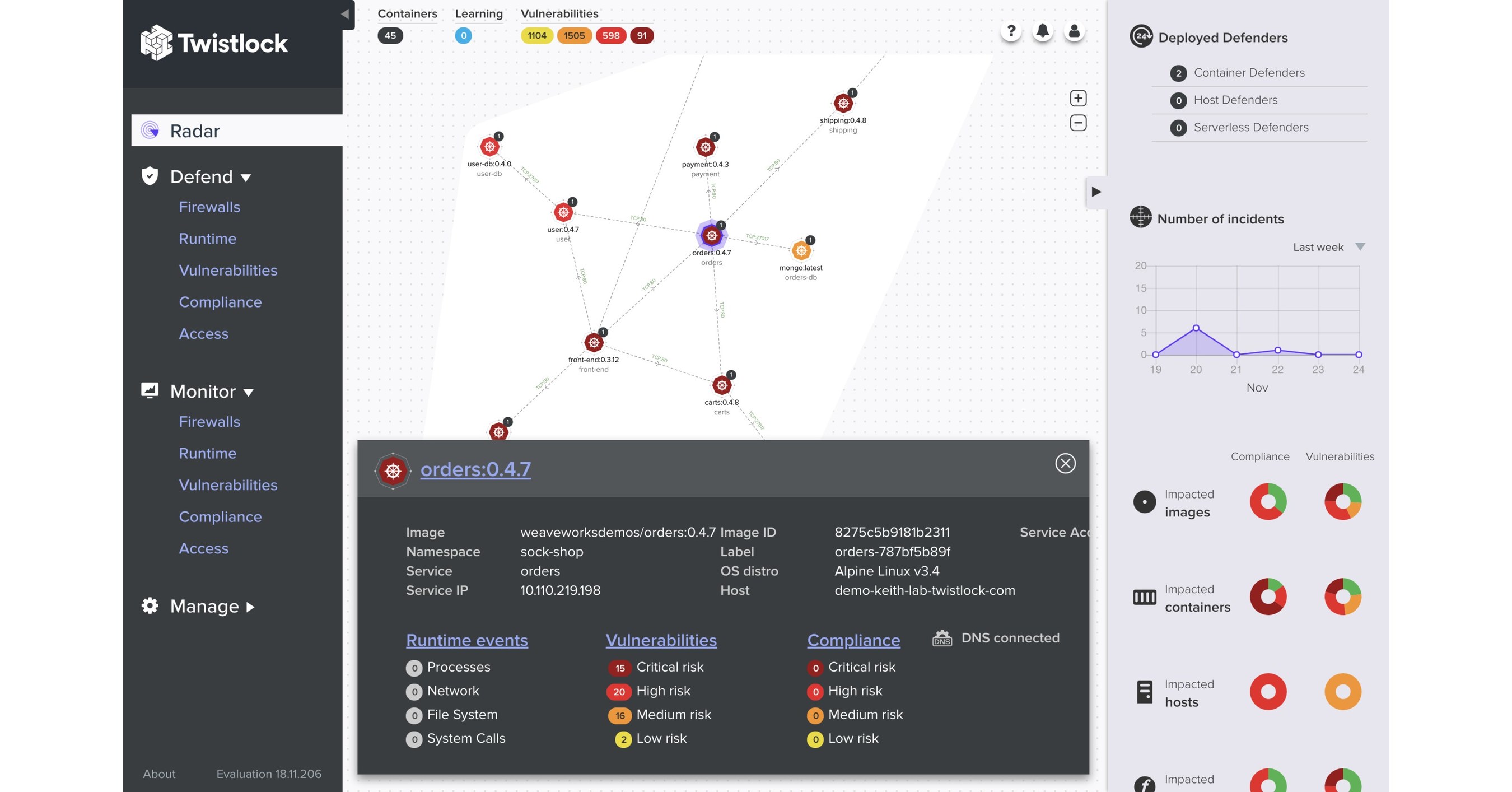
Automates container security · Provides vulnerability management · Offers compliance and governance
Prisma Cloud (formerly Twistlock) delivers comprehensive cloud-native security, including container security, vulnerability management, and compliance, to protect Linux environments.

Discreet storage solution · Mimics a standard bolt · Provides a hidden compartment
The Shomer-Tec Hollow Spy Bolt offers a unique, discreet physical security solution for storing small, sensitive items, complementing digital hardening efforts.

Unified cloud security posture management · Vulnerability assessment · Threat detection and response
Lacework's Cloud Security Platform provides a unified approach to security for cloud-native applications, including Linux environments, by offering visibility, vulnerability management, and threat detection.
As an Amazon Associate I earn from qualifying purchases. Prices may vary.
Automated Security Updates & Patch Management
Keeping systems up-to-date with the latest security patches is one of the most effective ways to protect against known vulnerabilities. Automating this process can save time and reduce the risk of human error. Tools like unattended-upgrades can automatically download and install security updates. Package management systems like apt and yum also provide mechanisms for automating updates.
However, automated updates are not without risk. Updates can sometimes introduce compatibility issues or break existing functionality. It’s important to test updates thoroughly before deploying them to production systems. Staging environments and canary deployments can help mitigate these risks.
A well-defined patch management process should include regular vulnerability scanning, risk assessment, and testing. Prioritize updates based on the severity of the vulnerabilities they address. Document all changes and maintain a rollback plan in case of problems.
The frequency of updates should be balanced against the risk of disruption. Critical security updates should be applied promptly, while less critical updates can be scheduled during off-peak hours.
Log Analysis and Threat Intelligence
Centralized log management and analysis are essential for detecting and responding to security incidents. Tools like the ELK stack (Elasticsearch, Logstash, Kibana) and Splunk can collect, index, and analyze logs from various sources. This allows you to identify suspicious activity and investigate security breaches.
Integrating threat intelligence feeds can provide valuable context and help you identify emerging threats. Threat intelligence feeds provide information about known malicious IP addresses, domains, and malware signatures. This information can be used to proactively block malicious traffic and detect potential attacks.
Proactive threat hunting involves actively searching for signs of compromise within your environment. This requires a deep understanding of your systems and network, as well as the ability to analyze logs and identify anomalies. Threat hunting can help you detect attacks that might otherwise go unnoticed.
Regularly reviewing security alerts and investigating suspicious activity is crucial. Don’t ignore alerts – investigate them promptly and take appropriate action. A well-defined incident response plan can help you respond effectively to security incidents.
No comments yet. Be the first to share your thoughts!