

The reality of container threats
Containers share the host OS kernel, which is the main reason they're harder to isolate than virtual machines. If an attacker breaks out of a container, they have a direct path to the host. Because containers are short-lived and scale fast, you can't rely on the manual security audits used for old-school VMs.
The threats are evolving. We're seeing a rise in supply chain attacks targeting container images, where malicious code is injected into base images or dependencies. Runtime vulnerabilities, where attackers exploit weaknesses in containerized applications while they're running, are also increasingly common. By 2026, these threats will only become more sophisticated and frequent, demanding a proactive and layered security approach.
The key difference between securing containers and VMs lies in their architecture. Containers share the host OS kernel, meaning a compromise in one container could potentially lead to a compromise of the host system and other containers. This shared kernel also means containers have a smaller footprint and faster startup times, but it also requires a different mindset when it comes to security. It's no longer enough to simply secure the guest OS; you must also secure the underlying host and the container runtime.
Ignoring these shifts is a risk. The potential impact of a container breach can be significant, ranging from data loss and service disruption to reputational damage. Organizations need to move beyond simply checking boxes and embrace a holistic security strategy that addresses the entire container lifecycle, from image creation to runtime monitoring.
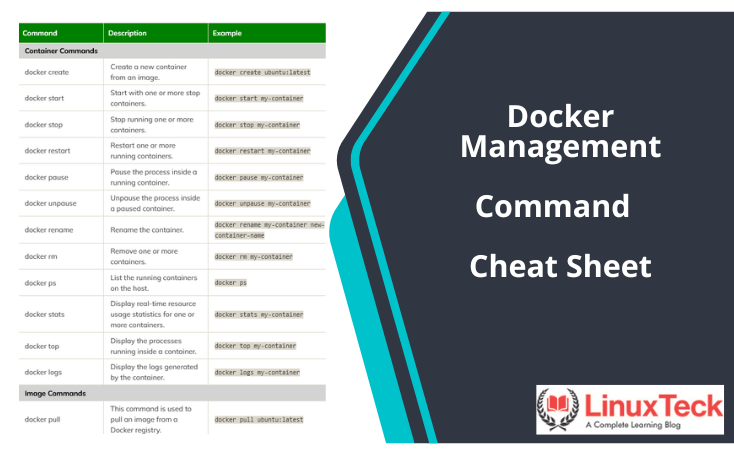
Scanning images before deployment
Image scanning is the foundation of any robust container security strategy. It's the process of analyzing container images for known vulnerabilities, such as outdated software packages, insecure configurations, and malicious code. Think of it as a static analysis of your container's contents before it's ever deployed. A good image scanner will identify vulnerabilities in OS packages, application dependencies, and even misconfigurations within the image itself.
Several excellent tools are available. Trivy, an open-source scanner developed by Aqua Security, is popular for its speed and ease of use. Clair, originally created by CoreOS, is another strong contender, often integrated into CI/CD pipelines. Anchore Engine provides a more comprehensive platform, offering vulnerability analysis, policy enforcement, and compliance reporting. These tools are constantly updated with the latest vulnerability databases, ensuring you're protected against emerging threats.
Integrating image scanning into your CI/CD pipeline is essential. This 'shift left' approach allows you to identify and address vulnerabilities early in the development process, before they make their way into production. Automate the scanning process so that every image is scanned before it's pushed to a registry. Many CI/CD platforms, like Jenkins and GitLab CI, have built-in integrations with popular image scanners.
However, scanning isn't a one-time fix. Base images are constantly being updated, and new vulnerabilities are discovered all the time. Regularly rescan your images, even those already in production, to ensure you're not exposed to newly identified risks. Automated rescan schedules are a must. Maintaining up-to-date vulnerability databases is also critical for the scanner to be effective. Neglecting this ongoing process leaves you vulnerable.
- Trivy is a fast, open-source scanner that's easy to plug into a build script.
- Clair is a more comprehensive option often found in CI/CD pipelines.
- Anchore Engine: Offers policy enforcement and compliance reporting.
Content is being updated. Check back soon.
Monitoring behavior at runtime
Image scanning catches vulnerabilities before runtime, but it doesn't account for everything. Runtime security focuses on monitoring container behavior while it's running, detecting anomalous activity that could indicate a compromise. This is where tools like Falco and Sysdig Inspect come into play. They observe system calls, network activity, and other runtime events, looking for patterns that deviate from the norm.
The principle of least privilege is fundamental to runtime security. Containers should only be granted the minimum necessary permissions to perform their tasks. This limits the potential damage an attacker can do if they manage to compromise a container. Security profiles, like AppArmor and SELinux, can be used to enforce these restrictions, controlling access to system resources and limiting container capabilities.
Falco uses a rules engine to flag unauthorized file access or unexpected network connections. It’s the standard for catching malicious commands in real-time. Sysdig Inspect works alongside it to let you dig into the actual system calls if you need to investigate a specific threat.
Effective runtime security requires careful configuration and tuning. Too many alerts can lead to alert fatigue, while too few can leave you blind to genuine threats. It’s a balancing act. Regularly review your security policies and adjust them based on your environment and the specific risks you face. Consider integrating runtime security tools with your SIEM (Security Information and Event Management) system for centralized logging and analysis.
Container Security Tool Comparison: Falco, Sysdig Inspect, and AppArmor/SELinux (2026)
| Feature | Falco | Sysdig Inspect | AppArmor/SELinux |
|---|---|---|---|
| Ease of Setup & Use | Moderate - Requires rule configuration and learning curve. | Easier - Integrates with existing Sysdig monitoring. | Complex - Significant policy creation and maintenance effort. |
| Performance Overhead | Generally Low - Designed for minimal impact, focuses on event stream analysis. | Moderate - Inspecting images can add to build times. | Variable - Can be high if policies are overly restrictive or poorly written. |
| Detection Capabilities | Strong - Excels at runtime behavioral threat detection, focusing on system calls. | Comprehensive - Image vulnerability scanning, runtime monitoring, and forensics. | Good - Primarily focused on mandatory access control, limiting container capabilities. |
| Integration Options | Kubernetes native, integrates with Falco Rules repository, observability platforms. | Deep integration with Sysdig Secure; supports Kubernetes and other container runtimes. | Kernel-level integration; requires configuration for container runtimes. |
| Policy Management | Rule-based; requires writing and maintaining custom rules. | Image-based policies and runtime monitoring configurations. | Policy-driven; requires defining profiles for applications and containers. |
| Visibility & Forensics | Excellent - Detailed audit logs and event stream analysis. | Strong - Provides deep visibility into container activity and image layers. | Limited - Focuses on access control, less detailed audit trails without additional tooling. |
| Focus | Runtime security and behavioral analysis. | Full lifecycle security: build, deploy, and run. | Access control and confinement. |
Qualitative comparison based on the article research brief. Confirm current product details in the official docs before making implementation choices.
Network Policies: Controlling Container Communication
Containers need to communicate with each other and with external services, but unrestricted network access can create significant security risks. Network policies allow you to control this communication, segmenting your container network and limiting the attack surface. The goal is to ensure that containers can only communicate with the services they absolutely need to access.
Kubernetes Network Policies are a popular solution for defining these rules. They allow you to specify which pods (groups of containers) can communicate with each other based on labels and namespaces. Other container orchestration platforms offer similar features. The concept of 'default deny' is crucial: start by denying all traffic, then explicitly allow only the necessary connections.
Defining network policies based on labels is a powerful technique. For example, you could label all containers belonging to a specific application and then create a policy that allows communication only between containers with that label. Namespaces provide another layer of isolation, allowing you to create separate network segments for different applications or environments.
Regularly review and update your network policies as your application evolves. Overly permissive policies can negate the benefits of segmentation. Minimizing the attack surface by limiting unnecessary network access is a cornerstone of container security. Think carefully about the communication patterns of your applications and design your policies accordingly.
- Kubernetes Network Policies: Define communication rules based on labels and namespaces.
- Calico: Open-source networking and network security solution.
- Cilium uses eBPF to enforce network policies at the kernel level without the overhead of traditional firewalls.
Common Network Policy Errors
- Overly Permissive Rules - Defining network policies with broad allow rules (e.g., allowing all traffic between containers) significantly expands the attack surface. Regularly review and refine rules to adhere to the principle of least privilege.
- Forgetting Policy Application - Creating network policies is insufficient; ensuring they are correctly applied across the container runtime environment (e.g., Docker, Kubernetes) is crucial. Utilize tools like
kubectlwith Kubernetes NetworkPolicy objects to verify implementation. - Insufficient Egress Control - Focusing solely on ingress traffic while neglecting egress control can allow compromised containers to communicate with external malicious actors. Implement policies to restrict outbound connections to necessary services only.
- Lack of Namespace Isolation - Failing to properly isolate namespaces can lead to unintended communication between containers. Leverage Kubernetes namespaces or similar mechanisms to logically separate applications and enforce network boundaries.
- Ignoring DNS Policies - DNS resolution within containers can bypass network policies if not properly configured. Implement DNS policies to control which DNS servers containers can use and prevent DNS-based attacks.
- Neglecting Policy Testing - Deploying network policies without thorough testing can disrupt legitimate application traffic. Utilize testing frameworks and simulate various scenarios to validate policy effectiveness before production deployment.
- Not Auditing Policy Changes - Changes to network policies should be logged and audited to maintain visibility and accountability. Implement a change management process to track modifications and identify potential misconfigurations.
Using kernel security modules
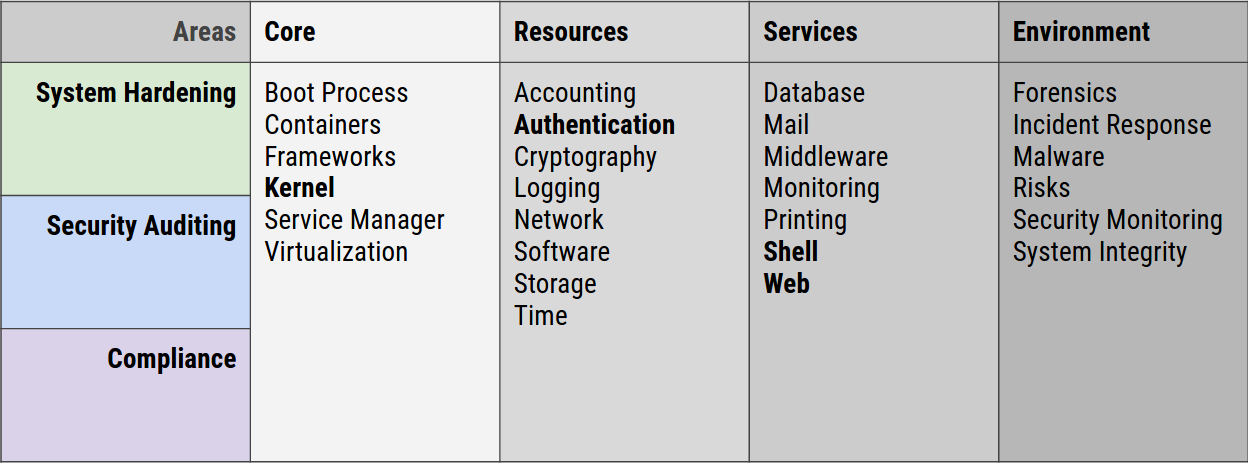
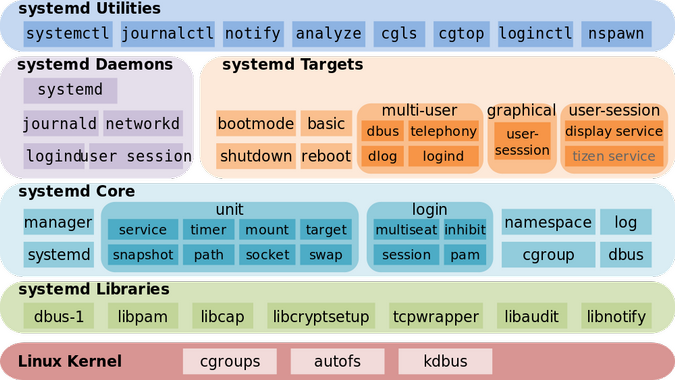
The Linux kernel plays a vital role in container security. Several kernel security modules can enhance container isolation and monitoring. eBPF (extended Berkeley Packet Filter) has emerged as a particularly powerful tool in recent years. It allows for dynamic instrumentation and monitoring of kernel events without modifying the kernel code itself.
With eBPF, you can trace system calls, detect security breaches, and enforce security policies in a flexible and efficient manner. For example, you could use eBPF to monitor file access patterns, detect anomalous network activity, or prevent containers from making unauthorized system calls. This level of visibility and control is invaluable for securing containerized workloads.
However, eBPF has a steep learning curve. Writing eBPF programs requires a good understanding of the Linux kernel and low-level programming concepts. Fortunately, several tools and frameworks are emerging to simplify eBPF development, such as BCC (BPF Compiler Collection) and Cilium. While eBPF is a powerful technology, it’s not a silver bullet and requires expertise to implement effectively.
Other relevant kernel modules include AppArmor and SELinux, which provide mandatory access control (MAC) mechanisms for restricting container capabilities. These modules can be used to define fine-grained security policies, limiting what containers can do even if they are compromised. Understanding these kernel-level security features is essential for building a truly secure container environment.
Essential Linux Commands for Container Security
As a sysadmin, you need to be comfortable using Linux commands to inspect and secure your containers. `docker inspect` is your go-to tool for examining the configuration of a container, including its network settings, environment variables, and mounted volumes. Use it to verify that containers are configured as expected and haven't been tampered with.
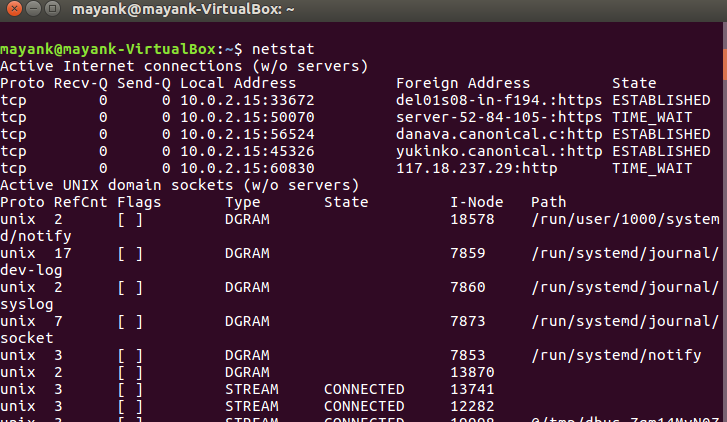
`docker exec` allows you to execute commands inside a running container. This is useful for troubleshooting issues, inspecting files, and running security checks. `ps aux` provides a snapshot of running processes within the container, helping you identify any unexpected or malicious activity. `netstat -tulnp` shows network connections, revealing which ports containers are listening on and which external services they're communicating with.
`lsof -i` lists open files and network connections, providing a more detailed view of container activity. `strace` traces system calls made by a process, allowing you to observe its behavior at a low level. This can be helpful for identifying security vulnerabilities or debugging performance issues. `auditd`, the Linux audit daemon, can be configured to log security-related events, providing a comprehensive audit trail.
For example, to check which files a container has access to, you could use `docker exec -it lsof -i`. To monitor system calls made by a specific process inside a container, use `docker exec -it strace -p `. Understanding the underlying Linux system and mastering these commands is crucial for effectively securing your containerized environment. Don't underestimate the power of a good shell and a solid understanding of Linux fundamentals.
Featured Products
Vulnerability scanning · Runtime protection · Compliance management
Aqua Security's platform provides comprehensive container security, including vulnerability scanning, runtime protection, and compliance management, essential for implementing Linux container security best practices.

Durable steel construction · Waterproof design · Removable steel chain
The AMIR Portable Safe Box offers a secure, waterproof solution for storing sensitive items, providing a physical layer of security for important documents or small devices.

Airtight seal · BPA-free material · Dishwasher safe
Lock & Lock food containers ensure airtight storage for food items, maintaining freshness and preventing spills, which is analogous to the need for secure and contained environments in Linux containers.

Cloud-delivered security · Network protection · Threat prevention
Implementing Palo Alto Networks Prisma Access offers insights into modern network security, a crucial component for securing cloud-native and containerized environments against evolving threats.

Cloud-native security strategies · Container security principles · DevSecOps integration
This book covers essential cloud-native security strategies and container security principles, providing sysadmins with the knowledge to build secure applications in modern environments.
As an Amazon Associate I earn from qualifying purchases. Prices may vary.
No comments yet. Be the first to share your thoughts!