

The shift to container security
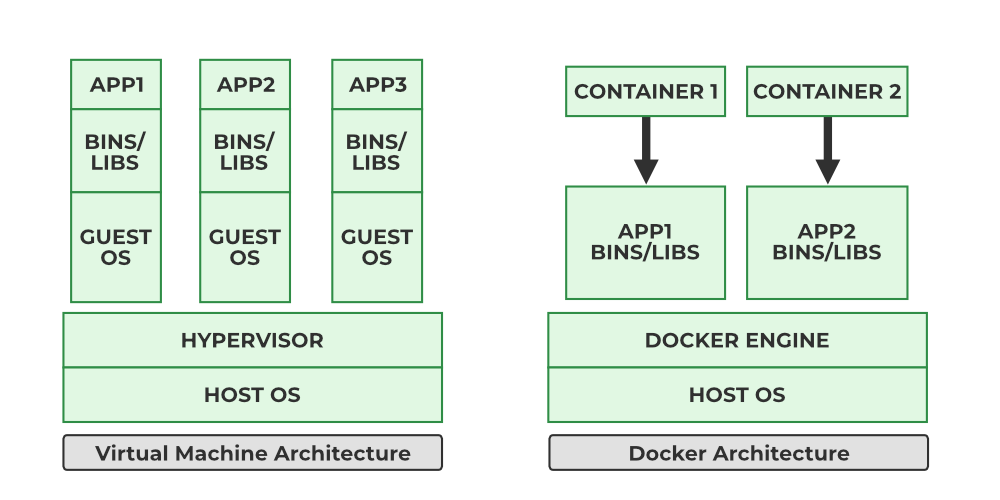
Containerization has fundamentally changed how we deploy and manage applications. It’s a big leap from traditional virtual machines, and that shift demands a new approach to security. Virtual machines offer strong isolation because each VM has its own operating system kernel. Containers, however, share the host OS kernel.
This shared kernel is both a strength – enabling efficiency and speed – and a potential weakness. A vulnerability in the kernel could, in theory, affect all containers running on that host. This isn't to say containers are inherently less secure, but the security model is different. You're trading some isolation for agility.
The adoption of containers, driven by technologies like Docker and Podman, has exploded in recent years. With increased adoption comes increased attention from attackers. Trend Micro has documented a significant rise in attacks targeting containerized environments, highlighting the need for robust security measures.
Securing containers isn't just porting over VM practices. We have to focus on image provenance, runtime behavior, and network isolation from the ground up.
Common Docker vulnerabilities
Docker, as one of the earliest and most popular containerization platforms, has naturally been a significant focus for security research. Several common vulnerabilities consistently appear in reports, and understanding them is the first step towards mitigation. One frequent issue is running containers as the root user. This grants the container full access to the host system, which is a major security risk.
Exposed ports are another common problem. Leaving ports open unnecessarily increases the attack surface. Any service listening on an exposed port is potentially vulnerable to external attacks. It’s best practice to only expose the ports absolutely required for the application to function.
Outdated images are a persistent threat. Images often contain known vulnerabilities that have been patched in newer versions. Regularly updating images is essential, but it’s surprisingly often overlooked. Trend Micro’s research consistently shows that a large percentage of container attacks exploit known vulnerabilities in outdated images.
The Docker daemon itself can also be a target. If compromised, an attacker could gain control of the entire container environment. Securing the Docker daemon – limiting access, keeping it updated, and monitoring its activity – is paramount. Misconfigured Dockerfiles, lacking proper security best practices, are a common source of vulnerabilities.
- Root user defaults
- Exposing unnecessary ports
- Using outdated images
- Misconfiguring the Docker daemon
- Poorly written Dockerfiles
Podman as a daemonless alternative
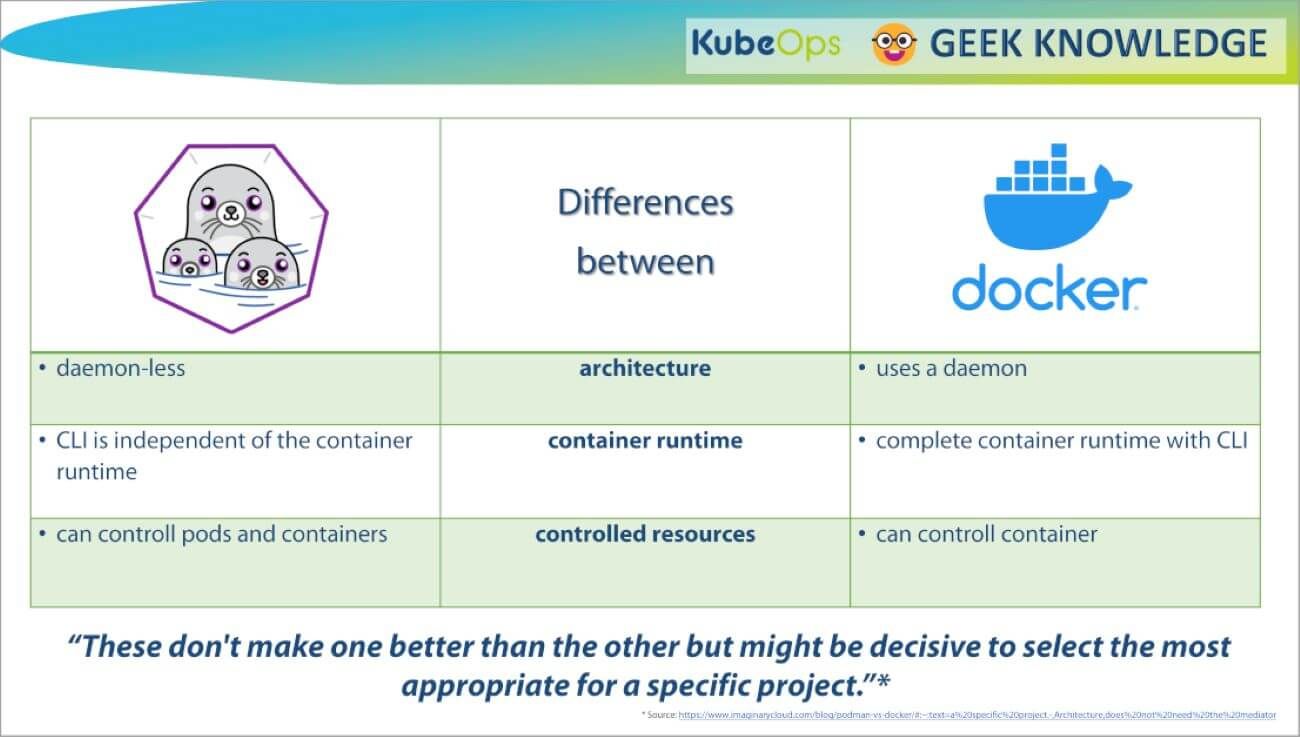
Podman has emerged as a compelling alternative to Docker, with a strong emphasis on security. One of its key differentiators is that it's a daemonless container engine. Docker relies on a central daemon process that manages all containers. This daemon represents a single point of failure and a potential attack vector.
Podman, by eliminating the daemon, reduces the attack surface. Containers are managed directly by the user, without the need for a privileged intermediary process. This significantly limits the potential impact of a compromise. Rootless containers are another major security feature of Podman.
Running containers as a non-root user enhances isolation and reduces the risk of privilege escalation. With rootless containers, even if a container is compromised, the attacker's access is limited to the user's privileges. This is a significant improvement over traditional Docker setups where containers often run as root.
Podman isn't a universal upgrade over Docker, but the architectural trade-offs are different. Since it's API-compatible, switching is usually straightforward if you want to move away from a central daemon.
Image Scanning and Vulnerability Management
Regular image scanning is absolutely critical for maintaining container security. Images are often built from layers pulled from public registries, and these layers can contain known vulnerabilities. Scanning helps identify these vulnerabilities before they make their way into your production environment. Several excellent tools are available for this purpose.
Trivy, developed by Aqua Security, is a popular open-source scanner that's easy to integrate into CI/CD pipelines. Clair, another open-source option, is often used in Kubernetes environments. Anchore Engine provides more advanced features, including policy enforcement and compliance checks. These tools analyze image layers for known vulnerabilities and generate reports.
The ideal approach is to integrate image scanning into your CI/CD pipeline. This ensures that every image is scanned automatically before it's deployed. You can configure the pipeline to fail the build if vulnerabilities exceeding a certain severity are detected. This prevents vulnerable images from ever reaching production.
Rescan your images every week. A clean scan today doesn't account for vulnerabilities discovered tomorrow. Most of these tools have free tiers, so there is no cost barrier to setting up a recurring schedule.
- Trivy (Aqua Security)
- Clair
- Anchore Engine
Container Vulnerability Scanning Tool Comparison: Trivy, Clair, and Anchore Engine
| Feature | Trivy | Clair | Anchore Engine |
|---|---|---|---|
| Ease of Use | Very High - Simple CLI and minimal configuration | Moderate - Requires more setup and configuration | Moderate - More complex setup, often requires dedicated infrastructure |
| Integration with CI/CD | Excellent - Broad support for common CI/CD tools | Good - Integrates well with Kubernetes and related tools | Good - Integrates with CI/CD pipelines but can be more involved |
| Vulnerability Database Coverage | Comprehensive - Regularly updated with latest CVEs and OS package vulnerabilities | Good - Relies on NVD and other sources, updates can lag | Comprehensive - Uses multiple vulnerability feeds, including commercial options |
| Reporting Capabilities | Basic - Primarily CLI output, some integrations for reporting | Moderate - Provides a web UI and API for reporting | Advanced - Detailed reports, policy enforcement, and customizable dashboards |
| Resource Consumption | Lower - Designed to be lightweight and fast | Moderate - Can be resource intensive during large scans | Higher - Requires significant resources, especially for policy evaluation |
| Customization & Policy | Moderate - Limited policy customization options | High - Extensive policy definition capabilities | High - Granular policy controls and vulnerability thresholds |
| Community Support | Strong - Active community and frequent updates | Moderate - Smaller community, but well-established | Moderate - Growing community, backed by commercial support |
Qualitative comparison based on the article research brief. Confirm current product details in the official docs before making implementation choices.
Runtime security with seccomp and AppArmor
Even with secure images, containers can still be vulnerable at runtime. Seccomp (Secure Computing Mode) and AppArmor are Linux kernel security features that can be used to restrict container capabilities and syscalls. Seccomp allows you to define a whitelist of allowed syscalls, blocking everything else. This significantly reduces the attack surface.
AppArmor provides a more flexible approach, allowing you to define profiles that specify which files and resources a container can access. It’s a bit more complex to configure than Seccomp, but it offers greater control. For example, you might use AppArmor to prevent a container from writing to sensitive system directories.
Here’s a simple example of a Seccomp profile (expressed in JSON) that only allows the `read` and `write` syscalls: `{"defaultAction": "SCMP_ACT_ERRNO", "syscalls": [{"names": ["read", "write"], "action": "SCMP_ACT_ALLOW"}]}`. The trade-off is functionality. Restricting syscalls too aggressively can break applications. Careful testing is essential.
Configuring Seccomp and AppArmor profiles requires a good understanding of the application's syscall requirements. Start with a permissive profile and gradually tighten it as you identify which syscalls are truly necessary. Remember to thoroughly test your application after applying any security profiles.
Custom Seccomp Profile for Enhanced Container Security
Seccomp (Secure Computing Mode) profiles provide fine-grained control over which system calls a container can make. By blocking potentially dangerous syscalls like ptrace and mount, you can significantly reduce the attack surface of your containers. Here's a custom seccomp profile that restricts several high-risk system calls:
{
  "defaultAction": "SCMP_ACT_ALLOW",
  "architectures": [
    "SCMP_ARCH_X86_64",
    "SCMP_ARCH_X86",
    "SCMP_ARCH_X32"
  ],
  "syscalls": [
    {
      "names": [
        "ptrace"
      ],
      "action": "SCMP_ACT_ERRNO",
      "args": [],
      "comment": "Block ptrace to prevent debugging attacks",
      "includes": {},
      "excludes": {}
    },
    {
      "names": [
        "mount",
        "umount",
        "umount2"
      ],
      "action": "SCMP_ACT_ERRNO",
      "args": [],
      "comment": "Block mount operations to prevent privilege escalation",
      "includes": {},
      "excludes": {}
    },
    {
      "names": [
        "reboot",
        "swapon",
        "swapoff"
      ],
      "action": "SCMP_ACT_ERRNO",
      "args": [],
      "comment": "Block system-level operations",
      "includes": {},
      "excludes": {}
    }
  ]
}
To apply this seccomp profile to your containers, save the JSON content to a file (e.g., custom-seccomp.json) and use it with Docker or Podman: For Docker: docker run --security-opt seccomp=custom-seccomp.json your-image For Podman: podman run --security-opt seccomp=custom-seccomp.json your-image This profile allows most system calls by default (SCMP_ACT_ALLOW) but explicitly blocks ptrace (used for debugging and can be exploited for container escapes), mount operations (which could lead to privilege escalation), and other system-level calls. The SCMP_ACT_ERRNO action returns an error when blocked syscalls are attempted, preventing the container from performing these operations while maintaining application stability.
Network Policies and Isolation
Network policies are crucial for isolating containers and preventing unauthorized communication. By default, containers on the same network can often communicate freely with each other. This can be a security risk if one container is compromised. Network policies allow you to define rules that control which containers can communicate with which other containers.
Tools like Calico and Cilium provide advanced network policy capabilities. Calico uses BGP routing to enforce policies, while Cilium leverages eBPF for more flexible and efficient policy enforcement. These tools allow you to define ingress and egress rules, specifying which traffic is allowed in and out of each container.
Network namespaces provide another layer of isolation. Each container can be placed in its own network namespace, effectively creating a separate network stack. This prevents containers from directly accessing the host network or other containers' networks. This is a foundational element of container networking security.
Implementing network policies can be complex, especially in large deployments. Start with a default-deny policy – block all traffic by default and then selectively allow communication based on application requirements. Regularly review and update your network policies to ensure they remain effective.
Monitoring and Auditing Container Activity
Continuous monitoring and auditing of container activity are essential for detecting and responding to security incidents. You need to be able to see what's happening inside your containers in real-time. This includes monitoring system calls, network traffic, and file system access.
Falco and Sysdig are powerful tools for detecting anomalous behavior in containers. Falco, an open-source cloud-native runtime security project, uses a rule-based engine to detect suspicious activity. Sysdig provides more comprehensive monitoring and analysis capabilities, including historical data analysis. Both tools can generate alerts when they detect potential security threats.
Effective logging is also crucial. Containers should generate detailed logs that can be used for auditing and forensics. Centralized logging systems – like Elasticsearch, Fluentd, and Kibana (the EFK stack) – make it easier to collect and analyze logs from multiple containers.
Container-aware security information and event management (SIEM) systems can integrate with container monitoring tools to provide a holistic view of your security posture. These systems can correlate events from multiple sources, identify patterns, and generate alerts. A well-configured SIEM is a vital component of a robust container security strategy.
Featured Products

Combination lock for keyless entry · Waterproof design for protection against moisture · Removable chain for versatile securing options
While not directly a container security tool, this portable safe box can be used to physically secure sensitive hardware or credentials related to your container infrastructure, offering a layer of physical security.
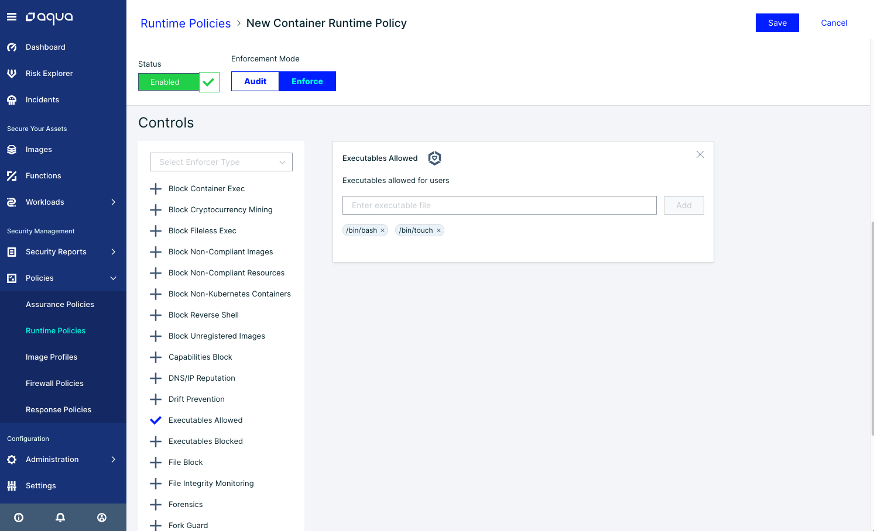
Comprehensive vulnerability scanning for container images · Runtime security monitoring and threat detection · Network segmentation and micro-segmentation policies
This leading security platform offers robust monitoring, auditing, and threat detection capabilities essential for securing your Docker and Podman container environments.

Covers network design concepts for GCP · Prepares for the Professional Cloud Network Engineer exam · Provides practical application guidance
Understanding cloud networking is crucial for securing container deployments in cloud environments, making this guide valuable for network engineers managing containerized applications on GCP.
Real-time threat detection for Linux systems · Rule-based detection engine for custom security policies · Auditing of system calls and container activity
These leading security platforms and tools offer robust monitoring, auditing, and threat detection capabilities essential for securing your Docker and Podman container environments.
As an Amazon Associate I earn from qualifying purchases. Prices may vary.
No comments yet. Be the first to share your thoughts!