

The shift toward Linux for AI
Developers are moving to Linux for AI work. While Windows and macOS were the standard for a long time because of their UI and driver support, that advantage has mostly evaporated. Linux is no longer just for servers; it is the primary environment for training and deploying models.
The reasons are multifaceted. Cost is a big one – most Linux distributions are free of charge, eliminating expensive licensing fees. Beyond that, Linux offers unparalleled flexibility and customization. You’re not locked into a specific ecosystem; you have control over every aspect of your environment. This level of control is increasingly important for the complex workflows common in AI research and deployment.
Perhaps the most exciting development is the growing support for AI directly within the Linux kernel itself. A recent YouTube video highlighted the kernel beginning to join the AI hype, hinting at deeper integration and optimization. This means AI tasks can potentially be handled more efficiently at a fundamental level. The community support surrounding Linux is also a huge asset. A vast network of developers and enthusiasts are constantly contributing to the ecosystem, providing solutions and support.
Ubuntu 26.04 is expected to fix several CUDA pathing issues that currently make GPU setup a chore. If these fixes work, setting up a local environment will be much faster. By 2026, these small quality-of-life improvements make Linux the most practical choice for AI.
Choosing a distribution
Choosing the right Linux distribution is a critical first step. Several options are well-suited for AI development, each with its own strengths and weaknesses. Ubuntu is often recommended, especially for beginners. Its large community, extensive documentation, and readily available packages make it a relatively easy entry point. The anticipation surrounding Ubuntu 26.04, with its promised CUDA improvements, further solidifies its position.
Fedora is another strong contender. It’s known for its focus on cutting-edge technology and its commitment to free and open-source software. This makes it attractive to developers who want to be at the forefront of innovation. However, it can sometimes be less stable than Ubuntu. Debian provides a rock-solid foundation, prioritizing stability above all else. It's a good choice for production environments where reliability is paramount, though it may require more manual configuration.
For experienced Linux users who crave complete control, Arch Linux is a viable, though demanding, option. It follows a rolling release model, meaning you always have the latest software. But the installation and configuration process are significantly more complex, requiring a deep understanding of the system. Package management differs between distributions – Ubuntu uses `apt`, Fedora uses `dnf`, Debian also uses `apt`, and Arch uses `pacman`.
Consider your experience level, your project requirements, and your tolerance for tinkering when making your decision. Ubuntu is a safe bet for most newcomers, while Arch is best left to those who are comfortable with a more hands-on approach. The best distribution isn’t a universal answer; it's the one that best fits your needs.
- Ubuntu is the standard choice for most. It has the best hardware support and the most documentation for CUDA setup.
- Fedora: Cutting-edge, strong focus on free software, potentially less stable.
- Debian: Rock-solid stability, ideal for production, requires more configuration.
- Arch Linux: Maximum control, rolling release, steep learning curve.
Linux Distribution Comparison for AI Development (2026)
| Distribution | Ease of Use | Package Availability (AI/ML) | Community Support | Customization |
|---|---|---|---|---|
| Ubuntu | Good | Excellent | Excellent | Good |
| Fedora | Good | Excellent | Good | Excellent |
| Debian | Fair | Good | Good | Good |
| Arch Linux | Limited | Good | Fair | Excellent |
| Pop!_OS | Excellent | Excellent | Good | Good |
| Manjaro | Good | Good | Good | Good |
Illustrative comparison based on the article research brief. Verify current pricing, limits, and product details in the official docs before relying on it.
Essential development tools
Once you've chosen a distribution, you’ll need to equip your environment with the essential tools for AI development. Python is the undisputed king of AI programming, so installing it should be your first priority. Most distributions come with Python pre-installed, but it’s often a good idea to install a newer version using a package manager or a tool like `pyenv`.
Managing Python environments is crucial to avoid dependency conflicts. Tools like `venv` (built-in) and `conda` (from Anaconda) allow you to create isolated environments for each project. `pip` is the package installer for Python, used to install libraries like NumPy, Pandas, and Scikit-learn. Jupyter Notebook and JupyterLab are interactive environments that are perfect for experimenting with code and visualizing data.
Version control is non-negotiable for any serious development project. Git is the industry standard, and you should familiarize yourself with its core commands. A good code editor or IDE will significantly improve your productivity. VS Code is a popular choice, offering excellent Python support and a wealth of extensions. Vim and Emacs are powerful, but require a steeper learning curve.
Setting up these tools is generally straightforward. Most distributions have package managers that can install them with a single command. For example, on Ubuntu, you can use `sudo apt install python3 python3-pip jupyterlab git` to install Python, pip, JupyterLab, and Git. Consistent environment management is the key to a smooth development workflow.
TensorFlow and PyTorch setup
TensorFlow and PyTorch are the two leading deep learning frameworks. Setting them up correctly on Linux is essential for leveraging your hardware, especially GPUs. GPU support requires installing the appropriate NVIDIA drivers and CUDA Toolkit. This is often the most challenging part of the process, and the specifics vary depending on your hardware and distribution.
First, ensure you have a compatible NVIDIA GPU and the latest drivers installed. Then, download and install the CUDA Toolkit from the NVIDIA website. Make sure the CUDA version is compatible with the version of TensorFlow or PyTorch you intend to use. Installing TensorFlow and PyTorch is typically done using `pip`: `pip install tensorflow` or `pip install torch torchvision torchaudio`. For GPU support, you may need to specify the CUDA version during installation.
CPU training is possible, but significantly slower than GPU training. To verify your installation, run a simple TensorFlow or PyTorch program that utilizes the GPU. Check the framework's documentation for examples. Linux-specific optimizations often involve using optimized BLAS (Basic Linear Algebra Subprograms) libraries like OpenBLAS or Intel MKL.
Keep in mind that CUDA and driver compatibility can be finicky. Carefully follow the installation instructions and consult the documentation for both your GPU, CUDA Toolkit, and the chosen framework. Troubleshooting often involves checking environment variables and ensuring that the correct libraries are loaded.
Containerization: Docker and Kubernetes
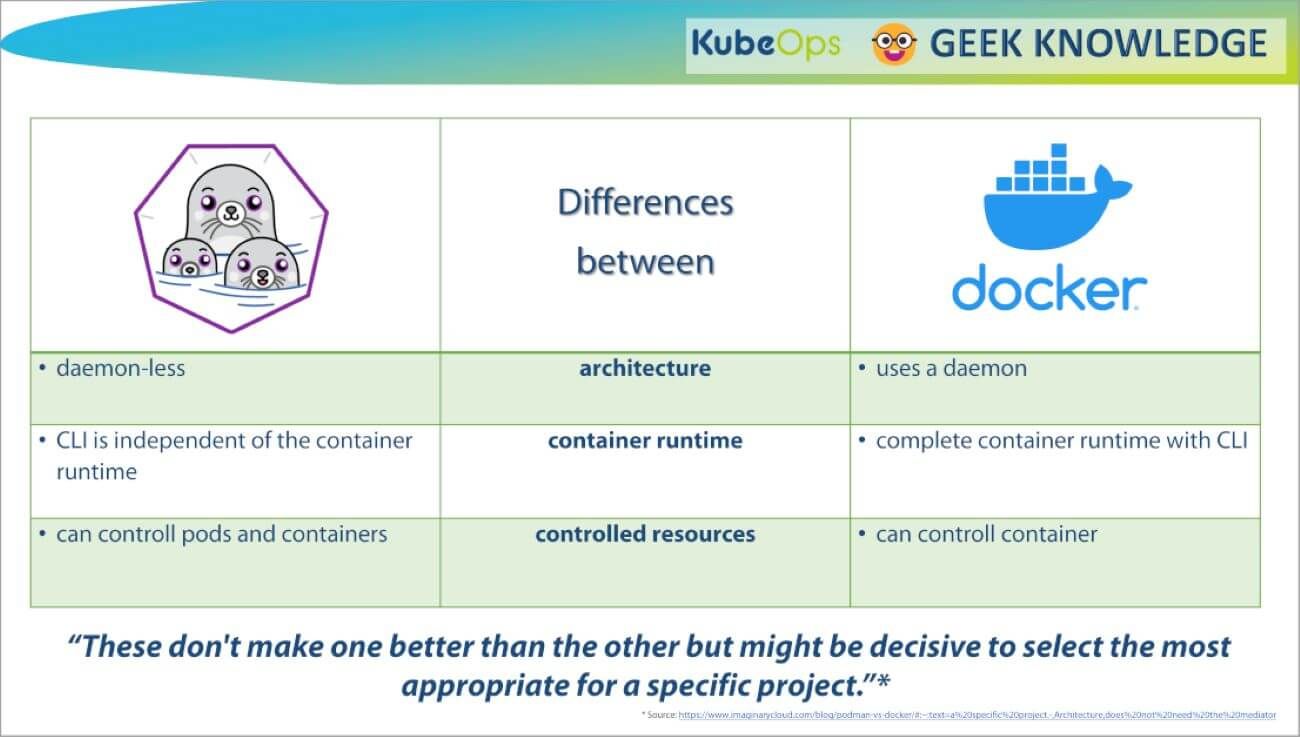
Docker and Kubernetes have become essential tools for modern software development, and AI is no exception. Docker allows you to package your AI application and all its dependencies into a container, ensuring that it runs consistently across different environments. This eliminates the “it works on my machine” problem and simplifies deployment.
Kubernetes is a container orchestration platform that automates the deployment, scaling, and management of containerized applications. It's particularly useful for complex AI workflows that require distributed training or serving. To containerize an AI application, you create a `Dockerfile` that specifies the base image, dependencies, and commands to run your application.
A basic workflow involves building a Docker image from your `Dockerfile`, pushing it to a container registry (like Docker Hub), and then deploying it to a Kubernetes cluster. Kubernetes manages the scaling, networking, and storage for your containers. This simplifies dependency management and ensures reproducibility.
Using Docker and Kubernetes for AI development offers several benefits: consistent environments, simplified deployment, scalability, and improved resource utilization. While there's a learning curve involved, the long-term benefits are significant, especially for larger projects.
Basic AI Development Dockerfile
Creating a containerized AI development environment ensures consistency across different Linux systems and simplifies dependency management. This Dockerfile provides a foundation for Python-based AI applications with essential system libraries and security considerations.
# Use official Python runtime as base image
FROM python:3.11-slim

# Set working directory in container
WORKDIR /app

# Install system dependencies for AI/ML libraries
RUN apt-get update && apt-get install -y \
    build-essential \
    gcc \
    g++ \
    gfortran \
    libopenblas-dev \
    liblapack-dev \
    pkg-config \
    && rm -rf /var/lib/apt/lists/*

# Copy requirements file
COPY requirements.txt .

# Install Python dependencies
RUN pip install --no-cache-dir --upgrade pip && \
    pip install --no-cache-dir -r requirements.txt

# Copy application code
COPY . .

# Create non-root user for security
RUN useradd -m -u 1000 aiuser && \
    chown -R aiuser:aiuser /app
USER aiuser

# Expose port for development server
EXPOSE 8000

# Set environment variables
ENV PYTHONPATH=/app
ENV PYTHONUNBUFFERED=1

# Default command
CMD ["python", "app.py"]
This Dockerfile includes system-level dependencies commonly required for machine learning libraries, creates a non-root user for enhanced security, and sets up proper Python environment variables. You can build this image using 'docker build -t ai-dev-env .' and run it with 'docker run -p 8000:8000 ai-dev-env'. Remember to create a requirements.txt file listing your specific Python packages before building the container.
Remote Access and Collaboration
Remote access to your Linux AI development environment is often necessary, especially if you're working on a powerful workstation or server. SSH (Secure Shell) is the standard protocol for secure remote access. VNC (Virtual Network Computing) provides a graphical interface, allowing you to interact with your desktop remotely. Cloud-based IDEs like VS Code Remote Development offer a convenient and collaborative development experience.
Setting up SSH involves configuring the SSH server on your Linux machine and using an SSH client on your local computer. VNC requires installing a VNC server on the Linux machine and a VNC viewer on your local computer. VS Code Remote Development allows you to connect to a remote server and work as if you were directly on the machine.
Collaboration is essential for many AI projects. Git and platforms like GitHub and GitLab facilitate version control, code review, and collaborative development. Following best practices for Git, such as using branches and pull requests, is crucial for maintaining a clean and organized codebase.
Prioritize security when setting up remote access. Use strong passwords, enable SSH key authentication, and keep your software up to date. Secure remote access and effective collaboration are key to productive AI development.
Troubleshooting Common Issues
Setting up an AI development environment on Linux can sometimes be challenging. Driver conflicts are a common issue, particularly with NVIDIA GPUs. Ensure you’re using the correct drivers for your GPU and kernel version. Dependency issues can also arise, especially when working with complex frameworks like TensorFlow and PyTorch. Using virtual environments can help isolate dependencies and prevent conflicts.
CUDA errors are frequent stumbling blocks. Double-check your CUDA installation, environment variables, and framework configuration. Performance bottlenecks can occur if your code isn’t optimized for the hardware. Profiling tools can help identify performance hotspots. The official documentation for your distribution, frameworks, and hardware is an invaluable resource.
A common problem is incorrect library versions. Carefully review the documentation for the AI frameworks you are using to ensure that your installed libraries are compatible. Another issue can be insufficient memory, especially when working with large datasets. Monitor your system’s memory usage and consider increasing it if necessary.
Don't be afraid to seek help from online communities and forums. The Linux community is known for its helpfulness and willingness to assist newcomers. Resources like Stack Overflow and the official forums for TensorFlow and PyTorch can provide valuable insights and solutions.
No comments yet. Be the first to share your thoughts!